🔑Key Takeaway
- Most POS systems are built to record sales. They are not always built to prepare, validate, and submit e-Invoices to MyInvois.
- That creates a technical gap for retailers, F&B chains, multi-branch operators, and POS distributors.
- An e-Invoice middleware connects the POS system to LHDN’s e-Invoice environment. It receives sales data, prepares the required e-Invoice records, supports validation, shows submission status, and reduces manual work.
- JomeInvoice is positioned as a practical e-Invoice middleware provider Malaysia businesses can use without replacing their existing POS or accounting system. It supports 9 native integrations, CSV upload for unsupported POS systems, enterprise API/SFTP on request, and compliance-grade controls for growing businesses.
Introduction of Automated e-Invoicing for Retail Industry
POS systems help businesses record sales, issue receipts, manage outlets, and track daily transactions.
MyInvois handles Malaysia’s e-Invoice submission and validation process.
The challenge is the space between both systems.
A retailer may already use a POS system that works well for store operations. An F&B chain may rely on a POS system across several branches. A shopping mall operator may manage transactions across many brands and floors. A distributor may have an existing system that already supports its finance team.
Replacing these systems just to meet e-Invoice requirements creates cost, training work, and operational risk.
This is why many businesses look for middleware / third-party e-Invoice provider Malaysia.
A middleware acts as the bridge between the business system and MyInvois. It provides POS e-Invoice integration solution by connecting daily transaction data to LHDN-compliant e-Invoice submission without forcing a full system replacement.
JomeInvoice is built for this retail e-Invoicing role. It connects supported POS systems directly, provides CSV upload for unsupported POS systems, and supports custom API/SFTP for enterprise needs.
What Is an e-Invoice Middleware Provider in Malaysia?
An e-Invoice middleware provider Malaysia businesses use sits between the source system and MyInvois.
The source system can be a POS system, e-commerce platform, property system, internal ERP, or business system.
The middleware receives data from that system, prepares the e-Invoice records, supports submission to MyInvois, and gives users visibility over status and errors.
For retail and POS users, the middleware should help with:
- POS transaction sync
- CSV upload for unsupported systems
- e-Invoice preparation
- B2B and B2C transaction handling
- Consolidated e-Invoice workflows
- Submission status tracking
- Error handling
- Audit-ready records
- Multi-branch visibility
- Compliance documentation
The goal is not to replace the POS system. The goal is to make the existing POS system ready for e-Invoice operations.
Why POS Systems Need Middleware for MyInvois Submission
Many POS systems handle retail operations well. They record sales, print receipts, manage cashiers, and support outlet reporting.
But e-Invoice submission needs more than receipt printing.
Businesses need to prepare data in the right format, handle LHDN rules, submit records to MyInvois, track validation status, and manage rejected or incomplete submissions.
This is where a POS system may not be enough.
A POS may record the transaction, but it may not support:
- LHDN-ready e-Invoice fields
- MyInvois submission flow
- Consolidated e-Invoice grouping
- Real-time or scheduled data sync
- Submission status tracking
- LHDN error visibility
- Multi-branch finance control
- Compliance documentation
- API maintenance when LHDN specifications change
Middleware solves this gap.
For POS e-Invoice integration Malaysia businesses, middleware gives the finance team a controlled layer between daily sales and LHDN submission.
Common Ways Malaysia Businesses Handle POS e-Invoice Integration
Businesses usually compare four routes before choosing a POS e-Invoice integration Malaysia workflow.
| Route | Best for | Main limitation | When to choose it |
| Government MyInvois workflow | Micro or small businesses without an existing POS | Manual work increases as receipt volume grows | Choose this if transaction volume is low and the business does not need POS integration yet. |
| Custom API development | Larger businesses with internal IT teams | Higher build cost, testing, security, and ongoing maintenance | Choose this if the business needs full technical control and has IT resources to maintain the integration. |
| Standalone e-Invoice system | Businesses that issue invoices but do not use a POS | May not fit cashier checkout, B2C receipt, or retail branch workflows | Choose this if the business needs LHDN-compliant e-Invoices but does not rely on POS transactions. |
| e-Invoice Middleware | Businesses that already use a POS system | Needs a reliable integration or CSV upload process | Choose this if the business wants to keep its current POS and connect transaction data to MyInvois. |
For most retailers with an existing POS, middleware is the more practical route. It avoids full system replacement, reduces manual entry, and gives finance teams a dedicated e-Invoice layer for MyInvois submission.
What to Look for in a POS e-Invoice Middleware Solution in Malaysia
Choosing a middleware should not only be about the lowest monthly fee.
For e-Invoice compliance, the middleware needs to support operations, finance control, and audit readiness.
1. Native Integration Coverage
A strong middleware should connect directly with commonly used POS systems and platforms.
JomeInvoice supports 9 native integrations:
- Loyverse
- SalesPlay
- Smart Cashier POS
- Shopify
- WooCommerce
- Cloudbeds
- Techsoft
- JurifytePro
- Baiwang Cloud
For businesses using these systems, transaction data can sync into JomeInvoice without manual re-entry.
This is useful for retailers, F&B chains, e-commerce sellers, hospitality operators, and multi-branch businesses that need smoother daily operations. Read more on e-Invoicing Guide for F&B, and e-Invoicing Guide for eCommerce.
2. CSV Fallback for Unsupported POS Systems
Not every POS system has native e-Invoice integration.
This should not force a business to replace its POS hardware or retrain its store teams.
JomeInvoice supports CSV upload for unsupported POS systems, including:
- StoreHub
- AutoCount POS
- SQL POS
- Xilnex
- IRS POS
- Other POS systems that can export sales data
The retailer exports end-of-day sales data from the existing POS and uploads it using JomeInvoice’s CSV template.
This makes the setup a low-barrier for businesses that want e-Invoice readiness without a system replacement.
3. Dashboard Visibility
Finance teams need to see what has happened after transaction data enters the middleware.
A good e-Invoicing for retail middleware dashboard should help users track:
- Draft records
- Submission status
- Completed submissions
- Errors
- Branch-level records
- Consolidated and non-consolidated workflows
- Records ready for review
This matters for multi-branch businesses.
Avenue K Shopping Mall, for example, manages e-Invoicing across multiple retail outlets. With JomeInvoice, the e-Invoice environment is centralised into one dashboard, making it easier to manage different brands and multiple floors.
4. Validation and Error Handling
A middleware should reduce manual checking, not add another layer of confusion.
Businesses need visibility when a submission is incomplete, rejected, or needs action.
This is especially important for high-volume environments where small errors can repeat across many records.
JomeInvoice helps teams track e-Invoice status and manage records through a centralised workflow. This gives finance teams better control before and after MyInvois submission.
5. Compliance-Grade Trust
Compliance software should be selected carefully.
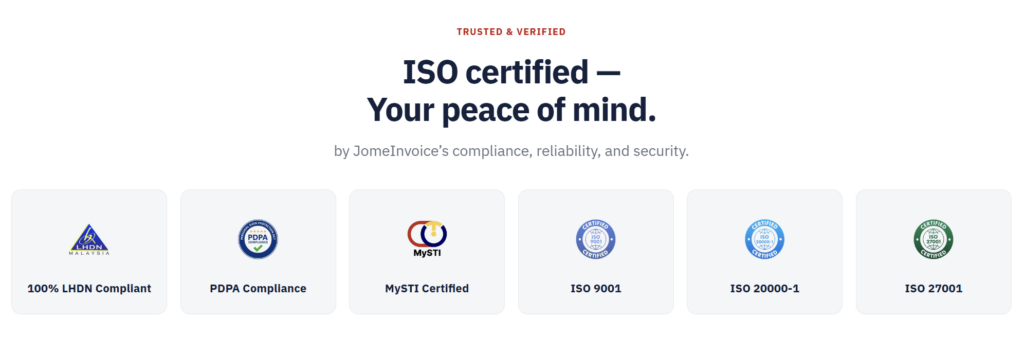
JomeInvoice is positioned with compliance-grade controls, including:
- LHDN-registered intermediary status
- ISO 9001
- ISO 20000-1
- ISO 27001
- PDPA compliance
- MySTI certification
- AWS Malaysia data residency
These trust signals matter for businesses handling financial data, customer information, and submission records.
For IT decision-makers and finance leads, the middleware should meet both workflow needs and governance expectations.
6. Setup Speed and Support
Speed matters, but stability matters more.
A good POS e-Invoice integration Malaysia workflow should help businesses start quickly without creating downtime.
Highlight: JomeInvoice is positioned for plug-and-play setup in under 10 minutes for supported workflows. TP-Link Distribution Malaysia reported that JomeInvoice connected to its existing system within minutes, with no downtime and no technical headaches.
This matters for businesses that cannot afford to pause store operations during implementation.
Why JomeInvoice Stands Out as an e-Invoice Middleware Provider Malaysia
JomeInvoice stands out because it focuses on connection, compliance, and operational fit.
It does not require every business to replace its POS system. It does not force every SME to build a custom API. It does not rely only on manual entry.
Instead, it offers a practical middle path.
Businesses can use native integrations where available, CSV upload where native integration is not available, and enterprise API/SFTP for larger requirements.
This makes JomeInvoice suitable for:
- Retail businesses
- F&B chains
- Multi-branch operators
- Shopping mall operators
- POS distributors
- Mid-market companies
- Finance teams managing high transaction volumes
- IT decision-makers evaluating e-Invoice add-ons
In addition, JomeInvoice is trusted by more than 2,000 Malaysian businesses across retail, eCommerce, F&B, dSMEs, and enterprise operations.
Still using manual entry or end-of-day exports to prepare e-Invoices?
JomeInvoice gives SME businesses a low-barrier middleware route. Keep your current POS system, sync or upload transaction data, and manage MyInvois submission from one dashboard.
From RM 30/month · 9 native integrations · CSV upload for unsupported POS systems · No POS replacement required

JomeInvoice POS Integration and CSV Workflow
JomeInvoice supports different operating models because not every business uses the same system.
Native Integration Workflow
For supported POS systems and platforms, transactions sync into JomeInvoice.
The workflow is:
- POS or platform records the transaction
- Transaction data syncs into JomeInvoice
- Records are prepared for e-Invoice processing
- Finance team reviews records in the dashboard
- JomeInvoice submits the e-Invoice to MyInvois
- Status updates are tracked in the system
This workflow reduces manual entry and helps teams manage e-Invoice submission without changing the front-end store process.
CSV Upload Workflow
For unsupported POS systems, the workflow is still practical.
The workflow is:
- Retailer exports sales data from the existing POS
- User downloads or follows the JomeInvoice CSV template
- User uploads the CSV file into JomeInvoice
- JomeInvoice maps and prepares the data
- Finance team reviews records
- Records are submitted to MyInvois
- Status updates are tracked in the dashboard
This gives businesses a fallback route while keeping existing systems in place.
Enterprise API and SFTP Workflow
For larger businesses, enterprise API/SFTP is available on request through the JomeInvoice sales team.
This is suitable for businesses with complex system architecture, high transaction volume, or multi-entity operations.
The benefit is control. The business gets a more tailored connection while still using JomeInvoice as the e-Invoice middleware layer.
Relevant Guide Links:
- Full JomeInvoice product guide: https://jomeinvoice.apidocumentation.com/product-guide
- Modules overview: https://jomeinvoice.apidocumentation.com/product-guide/about-jom-einvoice/modules
JomeInvoice: Affordable e-Invoicing Software Pricing and Packages for SMEs and Large Enterprises
JomeInvoice offers self-serve SME e-Invoicing plans and guided setup options.
| Plan | Monthly | Annual | Integrations | e-Invoices per month |
| Starter | RM 30/month | RM 360/year | 1 integration, Loyverse, SalesPlay, or Smart Cashier | 100 |
| Basic | RM 50/month | RM 600/year | 2 integrations, plus Shopify or WooCommerce | 1,000 |
| Pro | RM 150/month | RM 1,800/year | 4 integrations, all systems | 5,000 |
| Expert Guided Setup | RM 1,000 one-time | Not applicable | Hands-on setup guided by JomeInvoice team | Not applicable |
Custom enterprise pricing is quoted case by case.
For SMEs, the plans provide a cost-effective starting point. For larger businesses, the guided setup and custom route give more room for system complexity.
Successful Retail e-Invoicing Real Business Examples with JomeInvoice
TP-Link Distribution Malaysia
TP-Link Distribution Malaysia reported that JomeInvoice connected to its existing system within minutes, with no downtime and no technical headaches.
This supports the setup-speed advantage for businesses that want a middleware route without a long implementation cycle.
Avenue K Shopping Mall
Avenue K Shopping Mall manages e-Invoicing across multiple retail outlets. JomeInvoice centralises the process into one dashboard, helping the team manage different brands and floors with less confusion.
This example fits multi-outlet retail environments where visibility and control matter.
Mal-Autonics Sensor
Mal-Autonics Sensor uses JomeInvoice across multi-business-unit operations. The business highlights platform stability, security, LHDN compliance, and reliable performance under high transaction volumes.
This matters for companies that need consistent reporting across business units.
SOGO (K.L) Department Store
SOGO (K.L) Department Store uses JomeInvoice to automatically generate and submit e-Invoices in line with current regulations.
This shows how middleware helps larger retail environments reduce confusion, manual errors, and operational pressure during e-Invoice adoption.
When Should a Business Use JomeInvoice – the Best Scalable e-Invoicing Software Malaysia?
JomeInvoice is a strong fit when a business wants e-Invoice readiness without rebuilding its technology stack.
It is suitable when:
The business already has a POS system
The current POS works well for store operations
The business does not want to replace hardware
The finance team needs MyInvois submission visibility
Transaction volume is too high for manual entry
The business has multiple outlets or branches
The team needs a CSV fallback for unsupported POS systems
IT wants to avoid ongoing API maintenance
- Management needs compliance-grade controls
Note: JomeInvoice is especially relevant for mid-market companies with RM 5M to RM 100M revenue, multi-branch retail owners, finance leads, IT decision-makers, and POS distributors evaluating e-Invoice add-ons for their merchant base.
How to Choose the Best Middleware for POS e-Invoice Integration Malaysia
The best middleware is the one that fits the business’s current system, transaction volume, and compliance needs.
Before selecting a third-party e-Invoice provider Malaysia businesses should ask these questions:
- Does it support my current POS system?
- If native integration is not available, is there a CSV fallback?
- Does it support consolidated and non-consolidated e-Invoices?
- Can finance teams track submission status clearly?
- Does it reduce manual entry?
- Is it suitable for multi-branch operations?
- Does it support enterprise API/SFTP if needed?
- What certifications and trust signals are available?
- What are the monthly and setup costs?
- Is the implementation timeline practical?
These questions help businesses avoid choosing a system based only on features that look good on paper.
The right middleware should fit daily operations.
Need to connect your POS system to MyInvois without replacing your current setup?
Speak with a JomeInvoice product expert. Review your POS setup, integration options, CSV fallback, and the best route for LHDN-compliant e-Invoice submission.
FAQ About POS e-Invoice Middleware in Malaysia
What is POS e-Invoice integration Malaysia?
POS e-Invoice integration Malaysia refers to the process of connecting POS transaction data to an e-Invoice system for MyInvois submission. This can happen through native integration, CSV upload, or custom API/SFTP.
Does JomeInvoice support unsupported POS systems?
Yes. Unsupported POS systems can use the JomeInvoice CSV upload module. This applies to systems such as StoreHub, AutoCount POS, SQL POS, Xilnex, IRS POS, and other POS systems that can export sales data.
Does using JomeInvoice mean I need to replace my POS system?
No. JomeInvoice is middleware. It helps connect your current POS system to e-Invoice workflows through native integration, CSV upload, or enterprise API/SFTP on request.
What POS systems does JomeInvoice support natively?
JomeInvoice supports Loyverse, SalesPlay, Smart Cashier POS, Shopify, WooCommerce, Cloudbeds, Techsoft, JurifytePro, and Baiwang Cloud.
Is JomeInvoice suitable for multi-branch retail businesses?
Yes. JomeInvoice supports centralised dashboard visibility and is suitable for retail operators, multi-branch businesses, and finance teams managing large transaction volumes.
Is custom API available?
Yes. Enterprise API/SFTP is available on request through the JomeInvoice sales team. This route is suitable for larger businesses with complex system requirements.
How much does JomeInvoice cost?
JomeInvoice self-serve plans start from RM 30/month for Starter, RM 50/month for Basic, and RM 150/month for Pro. Expert Guided Setup is available at RM 1,000 one-time. Enterprise pricing is quoted case by case.
Is JomeInvoice a third-party e-Invoice provider Malaysia businesses can use for MyInvois submission?
Yes. JomeInvoice acts as a third-party e-Invoice provider Malaysia businesses can use to connect POS or business data to MyInvois workflows through middleware.
Disclaimer: This article is for general informational purposes only and does not constitute legal or tax advice. LHDN guidelines are subject to updates. Always refer to the latest official LHDN e-Invoice Guidelines at myinvois.hasil.gov.my and consult a qualified tax professional for advice specific to your business.