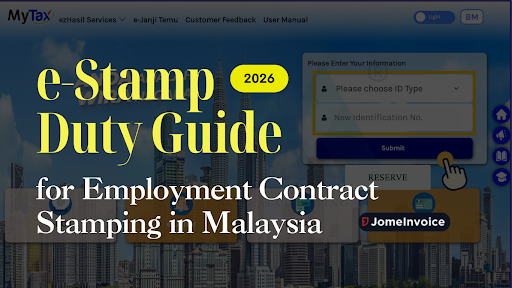
The STAMPS system was discontinued after 31 December 2025. From 1 January 2026, all stamp duty matters must be processed through the MyTax portal under e-Stamp Duty.
If you handle Employment Contract Stamping for your company, you need to understand how the new system works. Early preparation prevents delays and rejected submissions.
Transition from STAMPS to MyTax e-Stamp Duty
The Inland Revenue Board has moved stamp duty services into the MyTax portal. The new e-Stamp Duty system replaces STAMPS completely.
Key timeline:
• STAMPS system ends on 31 December 2025
• MyTax e-Stamp Duty becomes mandatory on 1 January 2026
All employers and company representatives must now use the MyTax e-Stamp Duty function to process employment contracts and other dutiable documents.
Who Needs to Use e-Stamp Duty in MyTax
You must use e-Stamp Duty in MyTax if you are:
• A company stamping employment contracts
• A company agent handling documents on behalf of a business
• An individual stamping personal documents
For Employment Contract Stamping, companies must apply under the correct company role inside the MyTax portal.
Before You Start in the MyTax Portal
Before accessing e-Stamp Duty, confirm your account and role settings.
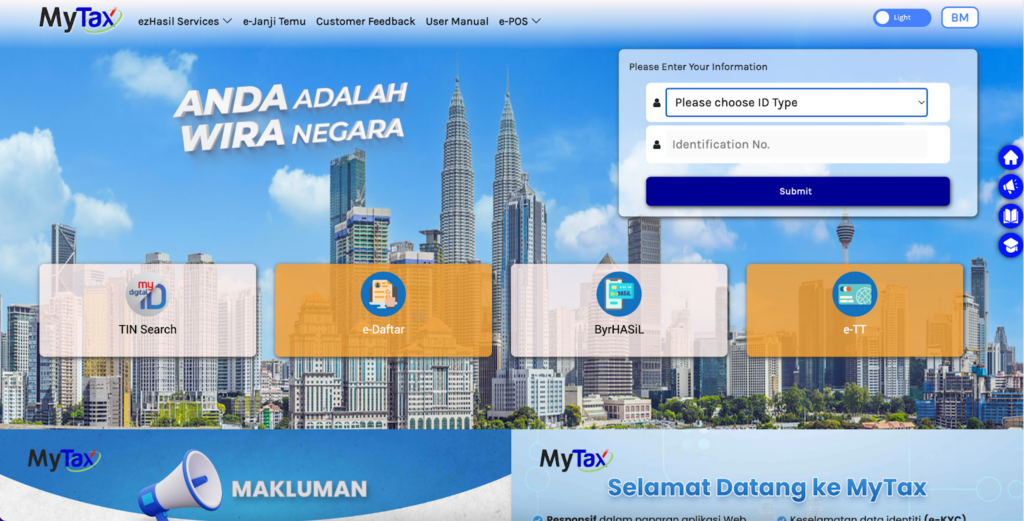
Log in to Your MyTax Account
Access the MyTax portal and log in using your identification number and password. Ensure your account is active and verified.
Understand MyTax Roles
There are two common roles relevant to stamp duty:
• Personal Role
• Company Agent Role
Personal Role is used to stamp personal documents.
Company Agent Role is required for Employment Contract Stamping on behalf of a company.
Common e-Stamp Duty Mistake to Avoid
Selecting the wrong MyTax role is a common issue. If you choose Personal Role when stamping an employment contract:
• You may not see the correct e-Stamp Duty options
• Submission access may be restricted
• You may need to reapply for the correct role
• Your stamping process may be delayed
Always confirm you are using the Company Agent Role before starting Employment Contract Stamping in MyTax.
How to Access e-Stamp Duty in MyTax Portal
Follow these steps inside the MyTax portal:
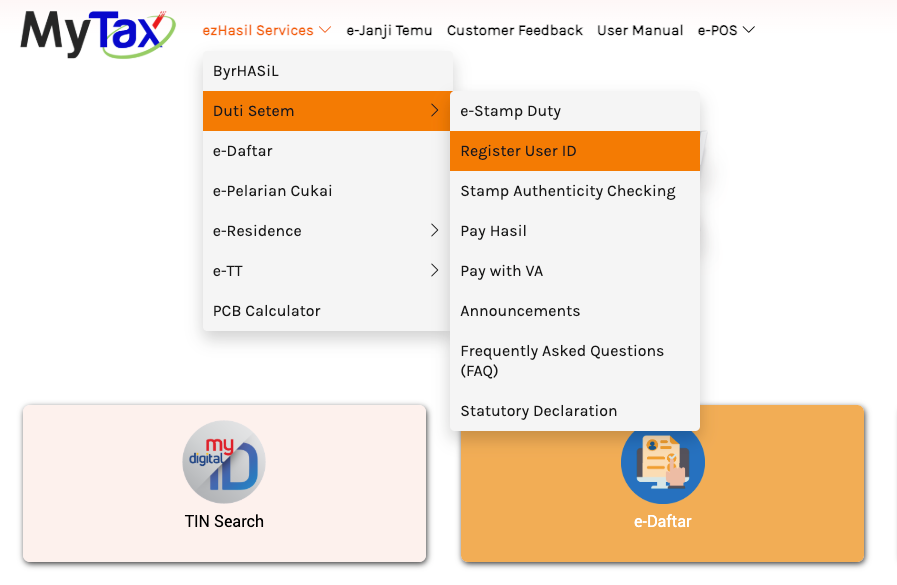
- Log in to MyTax.
- Go to ezHasil Services.
- Select Duti Setem.
- Click e-Stamp Duty.
This will bring you to the e-Stamp Duty module where stamping submissions are handled.
Selecting the Correct Role for Employment Contract Stamping
After entering the e-Stamp Duty section:
• Choose Company Agent Role if you are stamping for a company
• Use Personal Role only for personal documents
There is no need to switch to an employer account. The Company Agent Role within MyTax is sufficient for Employment Contract Stamping.
Register Company Agent Admin ID in MyTax
If you do not have a Company Agent Role, you must register before proceeding.
Steps:
- Go to e-Stamp Duty.
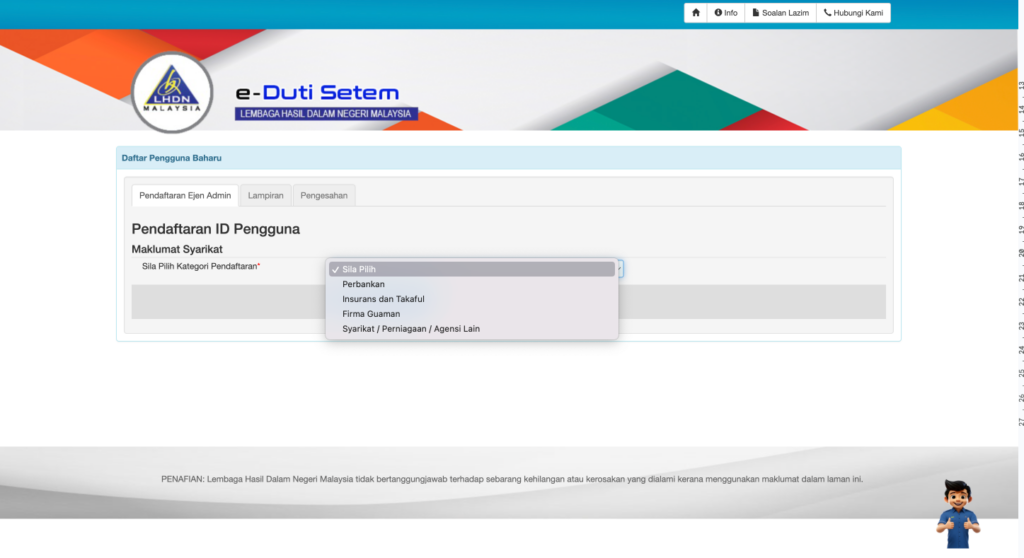
- Select Register User ID.
- Choose the relevant company category.
- Upload required supporting documents.
- Submit for approval.
Supporting documents may include:
• Company registration documents
• Identification documents of the appointed admin
• Authorization letter from the company
Once approved, you can proceed with e-Stamp Duty submissions under the Company Agent Role.
Malaysia Employment Contract Stamping Process in MyTax Portal
After selecting the correct role:
• Enter e-Stamp Duty
• Fill in document details
• Upload the employment contract
• Confirm stamp duty amount
• Make payment through the available payment method
• Download the stamped certificate
The workflow is similar to the previous STAMPS system. The main difference is that all actions now take place inside the MyTax portal.
Important Notes for Employers in Malaysia
Keep these points in mind:
• Ensure your Company Agent Role is approved before urgent submissions
• Do not wait until December 2025 to switch systems
• Prepare supporting documents in advance
• Verify details carefully before submitting e-Stamp Duty applications
Late preparation can result in processing delays, especially close to the system transition deadline.
Final Reminder on MyTax e-Stamp Duty
From 1 January 2026, all stamp duty matters must be handled through MyTax e-Stamp Duty.
If you manage Employment Contract Stamping for your company:
• Confirm your MyTax account is active
• Apply for Company Agent Role early
• Familiarize yourself with the MyTax portal navigation
Early action ensures smooth compliance and avoids last-minute complications when the old STAMPS system is fully discontinued.
Choosing the Best e-Invoice Software for SMEs Malaysia and Large Enterprises – JomeInvoice
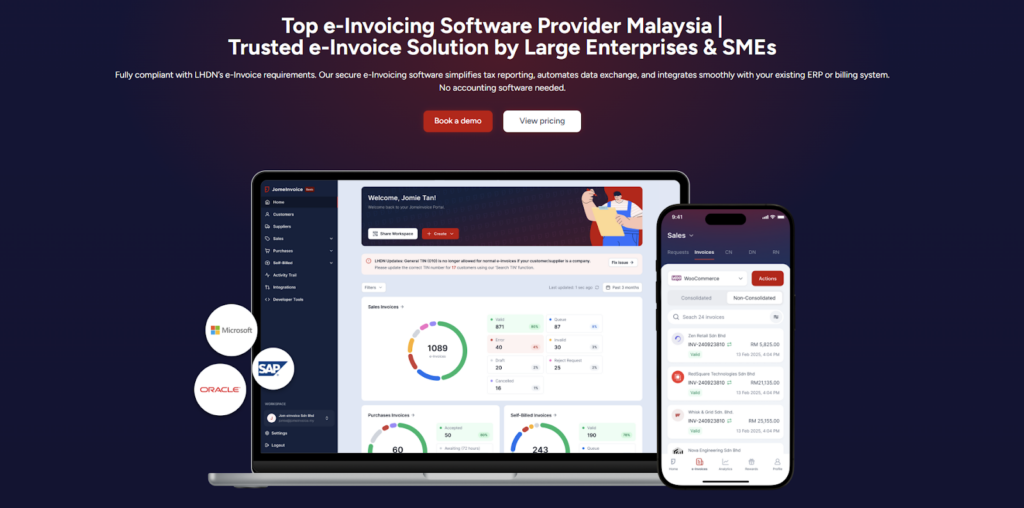
JomeInvoice is widely adopted as one of the best einvoicing software solutions in Malaysia. It is designed to support SMEs and large enterprises across all industries while meeting LHDN e-Invoice requirements with minimal operational disruption.
As a flexible e-Invoice platform for large enterprises and a practical solution for growing businesses, JomeInvoice supports high transaction volumes, complex workflows, and multi-system environments.
One e-Invoice Platform Built for All Business Sizes
JomeInvoice works as the best e-Invoice software for SMEs by offering fast onboarding, simple user interfaces, and automated compliance features. At the same time, it scales into a full e-Invoice platform for large enterprise use, supporting thousands of invoices daily through ERP and system integrations.
Key advantages
• Suitable for SMEs, mid-sized companies, and large enterprises
• Handles low and high invoice volumes efficiently
• Supports consolidated and self-billed e-Invoice workflows
Tailored for Every Industry
JomeInvoice works for a broad range of sectors, including retail, eCommerce, manufacturing, services, and more. It adapts to specific workflows, whether your business runs point-of-sale systems, online stores, or ERP platforms.
Retail e-Invoicing Solution for High-Volume Transactions
For retail businesses, JomeInvoice functions as a complete retail e-Invoicing solution. It supports POS integration, daily sales consolidation, and compliance with the RM10,000 consolidated e-Invoice threshold requirement
Retailers benefit from
• Automated consolidated e-Invoice generation
• POS system integration
• Reduced manual reporting during peak sales periods
e-Invoice for eCommerce and Online Businesses
JomeInvoice also serves as a reliable e-Invoice for eCommerce solution. It integrates with online stores and payment platforms, enabling seamless invoice issuance for high-frequency digital transactions.
eCommerce e-Invoicing features include
• Automated e-Invoice issuance for online sales
• Support for refunds, credit notes, and self-billed e-Invoice
• Compatibility with marketplaces and payment gateways
Enterprise-Grade Integration and Compliance
As a full einvoicing software for large enterprises, JomeInvoice integrates with major ERP systems such as SAP, Oracle NetSuite, Microsoft Dynamics, and other accounting platforms. It connects to the MyInvois system via API integration, minimizing the need for major changes to existing infrastructure.
Enterprise-ready capabilities
• ERP, accounting, and middleware integration
• Pre-validation checks to reduce rejection risks
• Audit trails and reporting for compliance and review
Book a free demo with JomeInvoice now!
See how your business can align with the Malaysia e-invoice guideline, stay prepared for any e-invoice compliance review framework selection, and move ahead of your e-invoice implementation timeline before enforcement tightens.
Contact JomeInvoice to help your business stay compliant, reduce manual work, and prepare for full e-Invoice enforcement with confidence.