

- LHDN (Lembaga Hasil Dalam Negeri Malaysia, the Inland Revenue Board of Malaysia, or IRBM) offers two ways to transmit e-Invoices: the MyInvois Portal (LHDN’s e-Invoice validation system) and an Application Programming Interface (API), where the API connection “may be made directly to IRBM or through intermediary technology providers.” (LHDN e-Invoice General Guideline v4.8, 30 August 2026, Section 2.2, Table 2.1)
- AutoCount, SQL Account and Bukku each ask you to add the vendor as an intermediary on your company’s taxpayer profile in MyInvois. SQL Account’s guide also has you register an enterprise resource planning (ERP) system to generate your own client ID and secret.
- LHDN does not require e-Invoice technology providers to register or be certified at this juncture, and appointing a provider never moves your compliance duty: it stays with your company and its director. (LHDN e-Invoice General FAQs, 4 September 2026, Q30, Q138 and Q139)
- A validated e-Invoice can be cancelled only within 72 hours; after that, corrections need a credit note, debit note or refund note, whatever software you use. (General Guideline v4.8, Section 2.4.5)
- If one accounting system issues all your invoices, its built-in module is usually enough. If point-of-sale (POS), online store and accounting run separately, or several companies share one finance team, compare middleware.
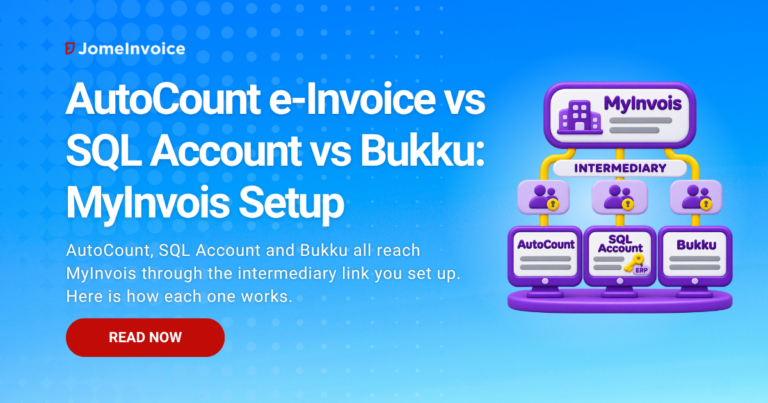
AutoCount, SQL Account and Bukku all send e-Invoices to MyInvois through LHDN’s Application Programming Interface (API), and each one needs you to appoint the vendor as an intermediary in the MyInvois portal first. MyInvois is the e-Invoice validation system of LHDN (Lembaga Hasil Dalam Negeri Malaysia, the Inland Revenue Board of Malaysia, also called IRBM). The AutoCount e-Invoice route runs through the AutoCount e-Invoice Platform (AIP); SQL Account adds an enterprise resource planning (ERP) system registration step; Bukku controls submission per document.
This guide compares the three setups side by side, using each vendor’s own documentation, then layers on the LHDN rules no software can change for you: the 72-hour cancellation window, the 7-day consolidation deadline and the RM10,000 individual e-Invoice rule. The guide ends with a simple test for when accounting software is enough and when a business needs middleware.
Verified against the e-Invoice General Guideline v4.8 (30 August 2026), the e-Invoice Specific Guideline v4.9 (7 September 2026) and the LHDN e-Invoice General FAQs (updated 4 September 2026), and against each vendor’s documentation, on 5 November 2026.
Quick Comparison: AutoCount, SQL Account and Bukku e-Invoice
All three products submit to MyInvois through the API on your behalf, but the setup and the controls differ. The table below summarises each vendor’s own documentation, accessed 5 November 2026. Vendors update features often, so confirm any row with the vendor before you rely on it.
| What to check | AutoCount | SQL Account | Bukku |
|---|---|---|---|
| How it reaches MyInvois | AutoCount e-Invoice Platform (AIP), built on the LHDN e-Invoice Software Development Kit (SDK) | SQL Account submits from the software using MyInvois credentials | Bukku submits from its cloud app |
| What you set up in MyInvois | Add AutoCount as intermediary on the company taxpayer profile | Register an ERP (client ID and secrets) and add E Stream MSC Sdn Bhd as intermediary | Add Nukleus Ventures Sdn. Bhd. as intermediary |
| Software version or plan | AutoCount Accounting 2.2 for on-premises; Cloud Accounting updates automatically (AutoCount FAQ, Feb 2025) | Not stated in the onboarding guide | Not stated in the guides reviewed |
| Test environment documented | Yes, testing version linked to the MyInvois Testing Environment | Yes, Sandbox credentials and “Test E-Invoice Validation” | Not stated in the guides reviewed |
| Consolidated e-Invoice | Yes, including from AutoCount POS and by branch | Yes, “Consolidate E-Invoice” by date range | Yes, “Normal” documents grouped via “+Consolidated” |
| Self-billed e-Invoice | Yes, from purchase invoices and payment vouchers | Yes, from purchase invoice, cash purchase, payment voucher and related notes | Yes, from purchase bills and expense claims |
| Cancellation | Within 72 hours; after that, credit or debit note | “Cancel Validated E-Invoice” within 72 hours | “Cancel” action in the module; LHDN’s 72-hour limit applies |
| Best for | Businesses already on the AutoCount accounting and POS ecosystem | Businesses wanting batch submission and a Sandbox test run | Businesses wanting per-document submission control (MyInvois Control) |
Sources: AutoCount solution page and e-Invoicing FAQ (last updated 22 February 2025); SQL Account onboarding, operations and registration guide; Bukku intermediary guide, MyInvois Control guide and consolidated e-Invoice guide (19 September 2026). All accessed 5 November 2026.
How Local Accounting Software Submits to MyInvois
Local accounting software submits to MyInvois by calling LHDN’s API as a technology provider that you have authorised. LHDN’s General Guideline lists three API routes (General Guideline v4.8, Section 2.4):
- Direct integration of a taxpayer’s ERP system with MyInvois.
- Peppol service providers (Peppol is an international network for exchanging e-Invoices).
- Non-Peppol technology providers.
Accounting software with a built-in e-Invoice module generally works as the third route, a non-Peppol technology provider; SQL Account’s ERP registration step also borrows from the first.
An intermediary, in MyInvois terms, is a system or provider that a taxpayer authorises to act on its Tax Identification Number (TIN). The MyInvois Software Development Kit (SDK) describes an intermediary login in which the system names the taxpayer it represents in an “onbehalfof” field, and “permissions that are granted by the taxpayer will be applied on the intermediary’s profile.” (MyInvois SDK, Login as Intermediary System, accessed 5 November 2026) In practice, the permissions you switch on in MyInvois decide what your software can do: submit, cancel or reject.
Two LHDN positions matter more than any feature list:
- No certification. Technology providers do not need to register or be certified with LHDN at this juncture, and LHDN says the certification position may change. Providers remain responsible for the functionality and reliability of their API integration. (General FAQs, 4 September 2026, Q138 and Q139) A “certified by LHDN” claim on a reseller page is therefore not backed by any LHDN certification requirement at this juncture.
- Responsibility stays with you. Appointing a service provider does not transfer the duty to comply; for a company, it rests with the director as defined in Section 2 of the Income Tax Act 1967. (General FAQs, Q30) Our guide to outsourcing e-Invoice submission to a third-party provider covers what to check before you appoint one.
For the wider landscape of portal, API and middleware routes, see our explainer on e-Invoice integration models in Malaysia.
AutoCount e-Invoice: The AutoCount e-Invoice Platform (AIP)
AutoCount e-Invoice submission runs through the AutoCount e-Invoice Platform (AIP), which AutoCount describes as built on the official LHDN e-Invoice SDK and live since 3 June 2024. AutoCount states that its software “integrates directly with the LHDN MyInvois system, eliminating the need for middleware.” (AutoCount e-Invoicing FAQ, Q1, last updated 22 February 2025; AutoCount solution page, accessed 5 November 2026)
What the AutoCount documentation says you need:
- A MyInvois registration. AutoCount users still register on the MyInvois Portal, because settings must be configured there before linking AutoCount. (FAQ Q3)
- AutoCount as intermediary. Once AutoCount is added as your intermediary, AutoCount’s digital signature is used for submissions, so you do not buy one separately. (FAQ Q4)
- The right version. On-premises users need AutoCount Accounting 2.2; AutoCount Cloud Accounting updates automatically. In both, you enable the e-Invoicing function yourself. (FAQ Q14)
AutoCount’s solution page also describes consolidated e-Invoices from AutoCount POS for retail and food and beverage (F&B) sales, a QR code on POS receipts that lets a customer request an individual e-Invoice later, and a queue that retries submissions during LHDN downtime.
AutoCount’s help centre documents one setup error in detail. An “unauthorized_client” login error can mean the intermediary was added under an individual taxpayer profile instead of the company profile, or the representation dates are wrong.
The fix is to switch to the company profile, correct the dates and permissions, wait about 30 minutes, then resubmit. (AutoCount help article, modified 26 February 2026)
SQL Account MyInvois Setup: ERP Registration Plus Intermediary
SQL Account’s setup links your company to MyInvois in two places: an ERP registration that produces your own client ID and secrets, and an intermediary entry for the vendor. SQL’s registration guide names the intermediary as E Stream MSC Sdn Bhd and tells users to enable all permissions for e-Invoice submission, cancellation, rejection requests and viewing. (SQL registration guide, accessed 5 November 2026)
The onboarding documentation walks through the rest inside SQL Account: set the country to Malaysia in the company profile, enter your Business Registration Number (BRN) and TIN, click “Connect MyInvois”, run “Test Intermediary”, then “Register ERP”. (SQL Account onboarding docs, accessed 5 November 2026) Two details stand out:
- Start date controls the environment. SQL Account only submits after the e-Invoice start date you select, and you can run Sandbox and Production credentials side by side for testing.
- Representation end date. The onboarding docs suggest leaving “Representation To” empty to avoid expiry, while the registration guide recommends a three-year expiry. Whichever you choose, diarise it: an expired representation stops submissions.
Day to day, SQL Account supports single and batch submission, a “Test E-Invoice Validation” check against the Sandbox, consolidation by date range and cancellation within 72 hours (our guide explains how to amend or cancel a validated e-Invoice after that window). A “Submitting” status appears when MyInvois does not respond, which SQL says exists “to prevent double submission.” (SQL Account e-invoice operation docs, accessed 5 November 2026)
Bukku MyInvois Control: Normal, Validate or External
Bukku e-Invoice submission is controlled per document through a setting Bukku calls MyInvois Control, after you add Bukku’s intermediary entity, Nukleus Ventures Sdn. Bhd., to your taxpayer profile. Bukku’s guide shows the representation range set for 5 years. (Bukku intermediary guide, 30 May 2025)
MyInvois Control has three options on sales invoices, sales credit notes, purchase bills and purchase credit notes:
- Normal: saved in Bukku and “not submitted immediately”, then included in a later consolidated e-Invoice. Saving does not submit it: to send the batch, you open MyInvois, Bukku Transactions, +Consolidated, review the listed transactions and click Submit (Bukku consolidated e-Invoice guide, accessed 6 November 2026).
- Validate: “submitted immediately to LHDN for individual validation”, used when a buyer asks for an e-Invoice. The contact must carry Bukku’s green check mark and classification codes must be filled in.
- External: Bukku does not submit, for a document already validated in another system.
(Bukku MyInvois Control guide, 7 January 2026) The External option matters for businesses that issue some e-Invoices from a POS or another platform and only record them in Bukku: it keeps the books complete without a duplicate submission.
Consolidated and Self-Billed e-Invoice Support Compared
All three products can produce consolidated and self-billed e-Invoices, but the LHDN rules decide when you may use them. Software makes the document; it does not make the transaction eligible.
| LHDN rule | What it means in your software | Source |
|---|---|---|
| Consolidated e-Invoice due within 7 calendar days after month-end | Run AutoCount, SQL Account or Bukku consolidation in the first week of the month (Bukku’s guide says before the 7th) | Specific Guideline v4.9, Section 3.6.2 |
| Branches may submit their own consolidated e-Invoices | AutoCount’s by-branch consolidation is one permitted method, not the only one | Section 3.6.3(c) |
| Limits: 5MB and 100 e-Invoices per submission, 300KB per e-Invoice | Large months may need several consolidated e-Invoices | Section 3.6.4 |
| Any single transaction exceeding RM10,000 (RM10,000.01 and above) needs its own e-Invoice (from 1 January 2026) | Do not leave such a sale on Bukku “Normal” or inside a consolidation batch | Section 3.7, Table 3.6 row 7 |
| Self-billed consolidation is allowed only in listed cases, such as payments to individuals not in business | A self-billed bill on “Normal” or in a batch must fit one of those cases | Section 3.6.5 |
Each vendor starts a self-billed e-Invoice from a different document:
- AutoCount: transfers details from purchase invoices and payment vouchers.
- SQL Account: maps a purchase invoice, cash purchase or payment voucher to a self-billed invoice, and purchase returns and debit notes to self-billed credit and debit notes.
- Bukku: validates a purchase bill or expense claim set to “Validate”.
(Vendor docs as cited above; Bukku self-billed guide, 13 March 2026)
LHDN’s full list of self-billed situations, and the relaxation in Section 16.2(b), sit in the Specific Guideline v4.9; our self-billed e-Invoice scenarios guide explains each one, and our consolidated e-Invoice FAQ covers line-item methods. The RM10,000 rule explainer shows how to split a month that contains one large sale.
How to Connect AutoCount, SQL Account or Bukku to MyInvois
The steps below are based on Bukku’s intermediary guide, SQL’s registration guide and JomeInvoice’s own MyInvois setup guide, which covers the same MyInvois screens. The connection follows the same pattern for all three products: authorise the vendor in MyInvois, then switch the module on inside the software. Use your vendor’s current guide for exact field values, and our guide to issuing an e-Invoice in Malaysia for the steps after setup.
Step 1: Log in to MyInvois through MyTax
Sign in at MyTax, LHDN’s online tax portal, and open MyInvois. Choose “View Taxpayer Profile” and confirm the company name shows. If your own name shows, use “Switch Taxpayer” to select the company.
JomeInvoice’s MyInvois setup guide notes that the error “You don’t have permission to add an Intermediary” means you are logged in as an individual, not as the company Director or Representative; return to MyTax Role Selection and click your company name.
Step 2: Add the vendor as an intermediary
In the Representatives section, open Intermediaries and click “Add Intermediary”. Enter the vendor’s TIN, BRN and name exactly as its guide lists them. The same JomeInvoice guide notes that “Intermediary not found” means the TIN or BRN entered doesn’t match.
Step 3: Set permissions and representation dates
Switch on the permissions your vendor asks for, normally submit, cancel and reject. Set “Representation From” as your vendor’s guide directs (AutoCount’s help article uses today’s date), and record any end date in your compliance calendar. If submissions later fail with “Intermediary not authorized”, the JomeInvoice guide gives two causes, a missing permission scope or a TIN that changed after authorisation, and fixes it by removing the intermediary and adding it again with all scopes checked.
Step 4: Register an ERP if your software needs one
SQL Account users click “Register ERP” in MyInvois and copy the client ID and secrets into SQL Account. The AutoCount and Bukku guides reviewed do not include this step.
Step 5: Enable e-Invoicing in the software and test
Enter your TIN and BRN in the company profile, enable the e-Invoice module and run a test submission where the vendor offers one. Then submit a first live invoice and confirm it shows as Valid in MyInvois.
When Accounting Software Is Enough, and When You Need Middleware
E-Invoice middleware is software that sits between several business systems and MyInvois, collecting invoices from each and submitting them through one connection. Accounting software is usually enough when one system issues every invoice the business sends. Middleware earns its cost when invoices come from several systems or several companies and someone has to keep them consistent.
| Your situation | Built-in module in AutoCount, SQL Account or Bukku | E-Invoice middleware |
|---|---|---|
| All invoices raised in one accounting system | Usually enough | Rarely needed |
| Sales split across POS, online store and accounting | Each system submits separately; check for gaps and duplicates | One flow that collects and submits for all sources |
| Several companies or branches under one finance team | One setup per company in each tool | One view across entities |
| Supplier e-Invoices received (inbound) need checking | SQL Account documents an import of received e-Invoices; for AutoCount and Bukku, check the vendor | Often a dedicated purchase or inbound module |
| Risk if ignored | Missed or duplicate e-Invoices, found only at month-end | Extra cost if your volume is simple |
JomeInvoice sells e-Invoice middleware, so weigh this table with that in mind: for a single accounting system, the built-in module is the simpler route.
Businesses below RM3 million in annual revenue are exempt from e-Invoicing under General Guideline v4.8, Sections 1.6.1(e) and 1.6.10, unless a non-individual shareholder, holding company, related company or joint venture has revenue of RM3 million or more, so check our SME exemption guide before buying anything. For a wider list of e-invoicing software options in Malaysia, see our comparison hub, and for providers that sit between your systems and MyInvois, see our e-Invoice middleware comparison.
How JomeInvoice Works Alongside Your Accounting Software
JomeInvoice is e-Invoicing middleware, not accounting software, so it works alongside AutoCount, SQL Account or Bukku rather than replacing them. JomeInvoice suits businesses whose invoices start in more than one place.
JomeInvoice connects to MyInvois the same way, as an intermediary, and its setup guide asks for all three permission scopes:
- Submit Documents
- Cancel Documents
- Reject Documents
Leaving one out makes that action fail with a permission error. (JomeInvoice docs, accessed 5 November 2026)
For sales that do not start in your accounting software, JomeInvoice offers an automated feed: POS, ERP or billing systems drop invoice files (CSV, JSON or XML data formats) into a secure file transfer (SFTP) folder on a schedule, and an optional return file can report each invoice’s result, typically including the LHDN identifiers and validation link. The feed is configured together with the JomeInvoice team; your system only needs to export files in the agreed format. (JomeInvoice automated SFTP feed, accessed 5 November 2026) TIN verification helps catch buyer TIN errors that would otherwise fail at submission, and support is local, in Bahasa Malaysia, English and Mandarin.
Frequently Asked Questions
Q: Does AutoCount submit e-invoices to LHDN directly?
A: Yes, through the AutoCount e-Invoice Platform (AIP), with no separate middleware. In LHDN’s terms AutoCount acts as your intermediary, so you still register on MyInvois and add AutoCount as intermediary; its digital signature is then used for submissions. [AutoCount e-Invoicing FAQ Q1, Q3, Q4]
Q: How do I add SQL Account as an intermediary in MyInvois?
A: Open View Taxpayer Profile in MyInvois, click Add Intermediary, and enter E Stream MSC Sdn Bhd with the TIN and BRN from SQL’s guide. Enable all permissions, save, then run Test Intermediary in SQL Account. [SQL registration guide; SQL onboarding docs]
Q: Can Bukku issue self-billed e-Invoices?
A: Yes. Create a purchase bill or an expense claim, set MyInvois Control to Validate, and save it as Ready. The supplier must be MyInvois Ready, with a classification code selected. Confirm the transaction is a self-billed case under Section 8.3 of LHDN’s e-Invoice Specific Guideline v4.9 first. [Bukku self-billed guide]
Q: Can I cancel an e-Invoice after 72 hours?
A: No. A validated e-Invoice can be cancelled only within 72 hours of validation. After that, any correction needs a new credit note, debit note or refund note e-Invoice, whichever software you use. [General Guideline v4.8, Section 2.4.5]
Q: Is accounting software certified by LHDN for e-Invoicing?
A: No. LHDN has no registration or certification requirement for e-Invoice technology providers at this juncture, and says the certification position may change. Providers must ensure their API integration with IRBM works reliably. [General FAQs, 4 September 2026, Q138, Q139]
Q: Who is responsible if my accounting software fails to submit an e-Invoice?
A: Your company. Appointing a service provider or system vendor does not transfer e-Invoice compliance responsibility, and for a company it rests with the director under Section 2 of the Income Tax Act 1967. [General FAQs, 4 September 2026, Q30, Q133]
Q: Do businesses below RM3 million revenue need e-Invoice software such as AutoCount?
A: No, not for compliance. Businesses with annual revenue below RM3 million are exempt, unless a non-individual shareholder, holding company, related company or joint venture has revenue of RM3 million or more. [General Guideline v4.8, Sections 1.6.1(e), 1.6.10]
Q: Do I still need a MyInvois account if I use AutoCount, SQL Account or Bukku?
A: Yes. You still log in to MyInvois through MyTax to add the vendor as an intermediary and set its permissions. AutoCount says settings must be configured on the MyInvois Portal before linking its software. [AutoCount e-Invoicing FAQ Q3; Bukku intermediary guide]
Your software submits. You stay responsible.
AutoCount, SQL Account and Bukku all reach MyInvois through the intermediary link you create, so the setup work is similar and small. What differs is how each one handles consolidation, self-billing and test runs, and none of them changes LHDN’s 72-hour, 7-day or RM10,000 rules or moves responsibility off your company.
Running more than one system into MyInvois?
See how JomeInvoice runs alongside your accounting software, POS and online store in one submission flow.

Disclaimer: This article is for general informational purposes only and does not constitute legal or tax advice. LHDN guidelines are subject to updates. Always refer to the latest official LHDN e-Invoice Guidelines at myinvois.hasil.gov.my and consult a qualified tax professional for advice specific to your business.
Last updated: 6 November 2026 | Written by Yinn Sheng Ng, Head of Marketing
References
- Inland Revenue Board of Malaysia, e-Invoice General Guideline Version 4.8 (30 August 2026), Sections 1.6.1(e), 1.6.10, 2.2 and 2.4: https://www.hasil.gov.my/wp-content/uploads/IRBM-e-Invoice-Guideline.pdf
- Inland Revenue Board of Malaysia, e-Invoice Specific Guideline Version 4.9 (7 September 2026), Sections 3.6, 3.7 (Table 3.6), 8.3 and 16.2: https://www.hasil.gov.my/wp-content/uploads/IRBM-e-Invoice-Specific-Guideline.pdf
- Inland Revenue Board of Malaysia, e-Invoice General FAQs (updated 4 September 2026), Q30, Q133, Q138 and Q139: https://www.hasil.gov.my/wp-content/uploads/lhdnm-e-invoice-general-faqs.pdf
- Inland Revenue Board of Malaysia, MyInvois SDK, Login as Intermediary System, accessed 5 November 2026: https://sdk.myinvois.hasil.gov.my/api/08-login-as-intermediary-system/
- Inland Revenue Board of Malaysia, MyInvois Portal: https://myinvois.hasil.gov.my
- Inland Revenue Board of Malaysia, MyTax portal: https://mytax.hasil.gov.my
- Inland Revenue Board of Malaysia, Income Tax Act 1967 (Act 53), consolidated, section 2: https://www.hasil.gov.my/wp-content/uploads/20240521-akta-cukai-pendapatan-1967-akta-53.pdf