

- Xero sends e-invoices to MyInvois through Invoici, after the taxpayer adds Xero Software (Malaysia) Sdn. Bhd. as an intermediary in the MyInvois portal, according to a Xero partner’s help centre (19 February 2026).
- QuickBooks Online has built-in Malaysian e-invoicing powered by Sovos, connected with your own MyInvois Client ID and Client Secret registered as an ERP in MyTax (mytax.hasil.gov.my, LHDN’s taxpayer portal, through which you open MyInvois) (Intuit help centre, accessed 5 November 2026).
- We found no Zoho-published Malaysian MyInvois guide on 5 November 2026. Zoho Books users connect through paid third-party extensions on the Zoho Marketplace, or through middleware.
- Software never carries your liability: compliance “remains with the company”, and for a company it rests with the director, even when a provider submits for you. (LHDN e-Invoice General FAQs, 4 September 2026, Q30)
- Businesses with annual revenue below RM3 million are exempt, unless a related-company rule applies. At least two vendor pages, Xero’s accountant guide (9 July 2026) and Intuit’s QuickBooks e-invoicing page, still quote the old RM1 million threshold. (e-Invoice General Guideline v4.8, Sections 1.6.1(e) and 1.6.10)
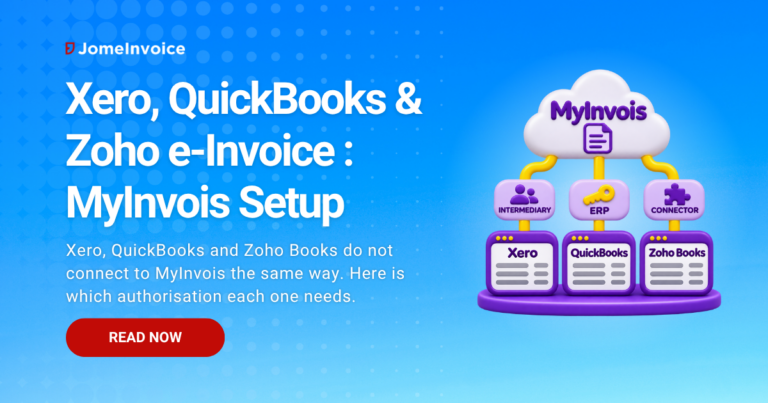
Xero, QuickBooks Online and Zoho Books can all be used for Malaysian e-invoicing, but each reaches MyInvois by a different route. MyInvois is the e-invoice system run by Lembaga Hasil Dalam Negeri Malaysia (LHDN, also called the Inland Revenue Board of Malaysia or IRBM).
Xero submits through its partner Invoici after you add Xero as an intermediary in MyInvois. QuickBooks Online has a built-in feature, powered by Sovos, that uses your own MyInvois API credentials. Zoho Books relies on third-party extensions or middleware.
Whichever route you use, LHDN holds you, not the software vendor, responsible for every e-invoice issued under your Tax Identification Number (TIN). This guide compares the three set-ups, the LHDN rules that apply regardless of software, and a seven-step checklist before you switch on submission.
Verified against the e-Invoice General Guideline v4.8 (30 August 2026), the e-Invoice Specific Guideline v4.9 (7 September 2026) and the LHDN e-Invoice General FAQs (4 September 2026) on 5 November 2026. Vendor facts are from each vendor’s own pages, accessed 5 November 2026.
Why Cloud Accounting Software Needs a MyInvois Connection
An e-invoice in Malaysia is not a PDF. LHDN’s FAQ defines it as a file “in the format specified by the IRBM (i.e., in XML or JSON file format)” and “not in the form of PDF, JPG and etc.” (Q1), which MyInvois must then validate (General Guideline v4.8, Section 2.4.3).
Accounting packages built for many countries need a bridge that converts each invoice into that structured format, submits it, and writes the validation result back. Section 2.4 of the e-Invoice General Guideline v4.8 allows three Application Programming Interface (API) routes:
- Direct integration of the taxpayer’s Enterprise Resource Planning (ERP) system with MyInvois.
- Transmission through Peppol service providers. Peppol is an international e-document exchange network; our explainer on the Peppol access point covers how it works.
- Transmission through non-Peppol technology providers.
Our guide to e-invoice integration models compares these routes in depth.
What vendor pages rarely say is that MyInvois offers two ways to authorise the software that submits for you:
- Your own credentials. You self-provision a Client ID and Client Secret under “View and Register ERP” in the MyInvois portal (reached through MyTax) and enter them in the software, which logs in as you. (MyInvois Software Development Kit (SDK) FAQ)
- An intermediary. You add the provider as an intermediary in the MyInvois portal. The provider, using its own Client ID and Client Secret, logs in through the “Login as Intermediary System” route to submit on your behalf. (MyInvois SDK FAQ) The portal path is Profile, then Intermediary, as shown in the CALTRiX Xero set-up guide.
The model matters for control. With your own credentials, the connection stops when the Client Secret expires or is rotated. With an intermediary, you grant the provider’s permissions inside MyInvois and can revoke them later, as JomeInvoice’s intermediary set-up guide notes for its own permissions.
Neither model moves your legal duty. LHDN imposes no registration or certification on technology providers “at this juncture” (FAQ Q138 and Q139), and our explainer on outsourcing e-invoice submission sets out why liability stays with you.
Use the table below to see which authorisation your software needs and what each vendor documents, before you start set-up.
| Question | Xero | QuickBooks Online | Zoho Books |
|---|---|---|---|
| How does it reach MyInvois? | Through Invoici, Xero’s Peppol access point partner | Built-in feature powered by Sovos | Third-party Zoho Marketplace extension or middleware |
| How do you authorise it in MyInvois? | Add Xero Software (Malaysia) Sdn. Bhd. as intermediary | Register an ERP named QuickBooks; enter Client ID and Client Secret | Depends on the extension; check its set-up guide |
| Consolidated e-invoice supported? | Yes, via a dedicated consolidated contact | Yes, via a “General Public” customer | Not listed by the extensions we checked |
| Self-billed e-invoice supported? | Consolidated self-billed, via the selfbilled@invoi.ci contact (partner help centre) | Yes, on Plus and Advanced plans, from Bills only | Listed by the Ooroboros extension |
| Validated QR code on the PDF you send? | Requested on Xero Product Ideas; status “Gaining Support” on 5 November 2026 | Not stated in the Intuit help articles we checked | “QR code generation” listed by the Ooroboros extension |
| Vendor-published Malaysian guide? | Yes (Xero page plus partner help centres) | Yes (Intuit help hub) | None found on 5 November 2026 |
| Best for | Businesses happy to grant Xero Software (Malaysia) Sdn. Bhd. intermediary rights and submit through Invoici | Single-entity SMEs that want e-invoicing inside one subscription | Zoho Books users who can budget for and maintain a paid add-on (Ooroboros requires Premium Global or above) |
| Risk if ignored | Intermediary not Active, so submissions fail | Expired Client Secret stops submission | Support depends on the extension developer; confirm in writing who fixes a failed submission |
Sources: vendor pages cited in the sections below, accessed 5 November 2026.
Xero: Connecting Through Invoici as Your Intermediary
Xero e-invoice Malaysia submission runs through Invoici. Xero’s Malaysian e-invoicing page (accessed 5 November 2026) states that “Xero is accredited as a global Peppol Service Provider” and tells users to “use Xero to register your business with Invoici”. LHDN allows taxpayers to transmit through Peppol service providers (FAQ Q137).
The set-up published by CALTRiX, a Xero partner help centre (19 February 2026, accessed 5 November 2026), runs in this order:
- In MyInvois, add XERO SOFTWARE (MALAYSIA) SDN. BHD. as an intermediary with all permissions, and confirm its status shows Active.
- On Invoici’s sign-up page, select Connect to Xero and allow access.
- Upload the QR code downloaded from the MyInvois portal into Invoici (or enter the details manually), and make sure your business name, TIN and Business Registration Number (BRN) are up to date in Xero. Invoici then generates your Peppol ID.
- Map classification codes. Xero creates a “MyInvois Classification Code” tracking category with 45 predefined codes, and the help centre warns that unmapped invoices may be rejected.
For month-end, Xero creates the contacts consolidated@invoi.ci and selfbilled@invoi.ci the first time you raise a consolidated or consolidated self-billed e-invoice. Xero’s own staff confirmed the Invoici route on the Xero Product Ideas forum (accessed 5 November 2026) on 16 January 2025, when the original “e-invoicing – LHDN Malaysia” request was marked Completed.
Check the threshold in any guide you follow. Xero’s own Malaysian e-invoicing guide for accountants (published 9 July 2026, accessed 5 November 2026) still says businesses below RM1 million are exempt. General Guideline v4.8 raised that threshold to RM3 million on 30 August 2026.
A Xero Product Ideas request to embed the validated QR code on the standard invoice PDF, opened 11 April 2025, was still marked “Gaining Support” on 5 November 2026.
QuickBooks Online Malaysia: Built-In e-Invoicing with Your Own MyInvois Credentials
QuickBooks e-invoice Malaysia submission is built into QuickBooks Online. Intuit’s Malaysian e-invoicing page (accessed 5 November 2026) describes it as “Powered by Sovos (Peppol accredited)” with “Unlimited e-invoicing across all plans”.
The Intuit set-up guide (accessed 5 November 2026) uses the own-credentials model, in this order:
- Go to Settings, then Account and settings, then Sales, then E-invoicing, and turn on Use e-invoicing.
- Agree that Intuit may share your information with Sovos Compliance LLC.
- Enter your business name, Sales and Service Tax (SST) registration number (if any), BRN, TIN and Malaysia Standard Industrial Classification (MSIC) code.
- In MyTax, register an ERP named QuickBooks to obtain a Client ID and Client Secret, choosing “3 Year” as the secret’s expiry, then enter them in QuickBooks.
- Upload a digital certificate if you have one.
- Add TIN and BRN (or MyKad, passport, MyPR or MyKAS numbers) to customers, and a classification code to every product or service.
As of 5 November 2026, three limits are worth knowing before you commit:
- Self-billed scope. Self-billed e-invoices are available on the Plus and Advanced plans only, and can be raised only from Bills (Intuit help).
- Mobile app. Invoices created in the QuickBooks mobile app must be sent to LHDN from QuickBooks Online on the web (Intuit set-up guide).
- Secret renewal. The 3-year Client Secret is a renewal date to diarise, because submission stops when it lapses.
Consolidated e-invoices use a “General Public” customer with TIN EI00000000010 and a product carrying classification code 004, according to Intuit’s consolidated e-invoice guide (accessed 5 November 2026). Both values match LHDN’s published codes.
Intuit’s marketing page still shows “Phase 5: For businesses with an annual turnover up to MYR 1M” from 1 July 2026, and a Phase 4 between MYR 1M and 5M. Neither reflects current rules: under General Guideline v4.8 (30 August 2026), businesses below RM3 million are exempt.
Zoho Books Malaysia: Marketplace Extensions or Middleware
Zoho e-invoice Malaysia submission depends on a third party as of 5 November 2026. We searched Zoho’s help centre and the wider web on that date and found no Zoho-published guide to MyInvois for Zoho Books.
The Zoho Marketplace lists at least two paid Malaysian extensions, both built by third parties:
- eInvoice Malaysia for Zoho Books by Ooroboros Sdn Bhd (version 2.1, released 8 January 2026). The developer’s product page lists invoices, credit notes, debit notes, refund notes and self-billed invoices, and requires “Zoho Books Premium (Global version) or above”.
- Advintek Global Invoicing for Zoho Books by Advintek Consulting Services Sdn. Bhd. (version 2.4, released 3 September 2026), which covers e-invoicing in Malaysia among other countries.
Both listings were accessed 5 November 2026. Before buying either, ask the developer:
- Which MyInvois authorisation model does the extension use?
- Does it support consolidated e-invoices?
- Who fixes the connection when LHDN changes a validation rule?
With an add-on, support is split between Zoho, the extension developer and your own team. The alternative is middleware that takes an export from Zoho Books and submits it, covered below.
Classification Codes, QR Codes and Consolidated e-Invoices
These rules apply whichever software submits for you. Your vendor can automate them, but cannot change them.
| Rule | What LHDN requires | Source |
|---|---|---|
| Classification code | Every line carries a 3-digit code from LHDN’s catalogue of 45 codes; 004 is “Consolidated e-Invoice” | MyInvois SDK classification codes |
| QR code | A visual representation (such as a PDF) shared with the buyer must have the QR code embedded | General Guideline v4.8, Section 2.4.4; FAQ Q45 |
| Consolidated e-invoice | Sales to buyers who do not ask for an e-invoice may be aggregated monthly and submitted within 7 calendar days after month-end, using general TIN EI00000000010 | Specific Guideline v4.9, Section 3.6 |
| RM10,000 rule | Any single transaction exceeding RM10,000 (RM10,000.01 and above) needs an individual e-invoice from 1 January 2026 | Specific Guideline v4.9, Table 3.6 (row 7) |
| Cancellation | Cancel within 72 hours of validation; after that, issue a credit, debit or refund note e-invoice | FAQ Q47 and Q48 |
| Self-billed | Only in the scenarios listed in Section 8.3 | Specific Guideline v4.9, Section 8.3 |
Three points trip up cloud accounting users most often:
- The QR code. Section 2.4.4 of the General Guideline v4.8 lets you share either the validated e-invoice or a visual representation. A visual representation without the QR code does not meet the rule.
- The RM10,000 rule. Under the RM10,000 individual e-invoice rule , a large cash sale cannot sit inside your month-end batch. The consolidated e-invoice guide covers the month-end mechanics.
- Self-billed eligibility. A self-billed contact in your software does not make every purchase eligible. Check the self-billed scenarios first.
Businesses with revenue up to RM5 million, including Phase 4 (RM3 million to RM5 million, mandatory from 1 January 2026), may, until 31 December 2027, consolidate all transactions except any single transaction exceeding RM10,000, including industries otherwise barred from consolidation, under Section 16.2 of the Specific Guideline v4.9. Full enforcement starts on 1 January 2028.
The RM10,000 individual e-invoice rule continues to apply throughout the relaxation period, so keep issuing an individual e-invoice for any single transaction exceeding RM10,000. For corrections outside the 72-hour window, see how to amend or cancel an e-invoice .
How to Set Up e-Invoicing in Xero, QuickBooks or Zoho Books
Use these steps as the checklist before you switch on live submission, whichever software you run.
Step 1: Confirm you are in scope
Check your revenue against the RM3 million exemption in General Guideline v4.8. A business below RM3 million is exempt unless a non-individual shareholder, holding company, related company or joint venture has revenue of RM3 million or more. Our SME exemption guide walks through the related-company tests.
Step 2: Get MyTax and MyInvois access ready
Log in to MyTax, switch to your company role (Role Selection), confirm your taxpayer profile in MyInvois, and download the profile QR code if your software asks for it.
Step 3: Authorise the connection
Either add your provider as an intermediary with the permissions it needs, or register an ERP to obtain a Client ID and Client Secret. Record who holds the credentials and when the secret expires.
Step 4: Clean your master data
Add TIN and BRN, or the right identification number, to every customer. Add a classification code to every product or service, and your MSIC code and SST number to your company profile.
Step 5: Create consolidated and self-billed records
Set up the general public customer (TIN EI00000000010) and a consolidated item with classification code 004, plus the self-billed contact or supplier types your software requires.
Step 6: Submit one test invoice
Submit a single low-value invoice, confirm it shows as validated, then open the document your buyer receives and check that it carries the QR code.
Step 7: Fix the month-end calendar
Name the person who submits the consolidated e-invoice, schedule it inside the 7-day window, and agree who approves cancellations inside 72 hours.
When Your Accounting Software Is Not Enough
Built-in or add-on submission works well when one accounting file holds all your sales. Submission becomes harder when sales live in several places. Consider a dedicated middleware route, such as the options in our e-invoice middleware comparison , if any of these apply:
- Sales originate outside the accounting software. A point-of-sale (POS) system, Shopify store or marketplace generates receipts that reach Xero, QuickBooks or Zoho Books only as daily summaries, so the individual transactions never pass through the e-invoice feature.
- High business-to-consumer (B2C) volume. Thousands of monthly receipts need the RM10,000 split and the 7-day consolidation applied automatically, not by hand.
- Several legal entities. Each entity submits under its own TIN, and every extra file multiplies credentials, renewals and checks.
- Buyers need the QR code on a familiar PDF. If your software’s standard invoice PDF does not carry the validated QR code, you need another way to issue a compliant visual representation.
- No named owner for failures. On an add-on, ask who fixes a failed submission at 6pm on the seventh day after month-end.
Where JomeInvoice Fits
JomeInvoice is a Malaysian e-invoicing middleware that works alongside Xero, QuickBooks or Zoho Books rather than replacing them. You add it as an intermediary in MyInvois with the Submit, Cancel and Reject Documents permissions.
Our set-up documentation explains the most common cause of a failed connection: “Intermediary not authorized” means a permission is missing or the workspace TIN changed after authorisation, and permissions can be revoked later. Invoice data arrives by CSV (spreadsheet) upload with field mapping, an automated SFTP (secure file transfer) feed or API, so sales from your accounting file, POS and online store can be submitted under one TIN. QuickBooks users can follow a documented sales-report export and upload route.
The month-end consolidation flow automatically leaves out any receipt of RM10,000.00 or more, so transactions caught by the RM10,000 rule go out individually, and it is built around the 7-day deadline. If your sales sit in more than one system, a short walkthrough comparing your current route with a middleware route is the useful next step.
Pick the route, keep the responsibility
Xero, QuickBooks Online and Zoho Books can all get your invoices into MyInvois, through Invoici, a built-in Sovos connection, or a third-party extension. The software choice decides how you authorise the connection and which features you get. The software choice does not change the rules: the QR code on what you share, the RM10,000 individual e-invoice, the 7-day consolidation window, the 72-hour cancellation limit, and your own liability under LHDN’s FAQ Q30.
Sales in more than one system? See how JomeInvoice submits them to MyInvois
A short walkthrough of intermediary set-up, spreadsheet and secure file feeds, and month-end consolidation under your own TIN. No commitment.

Disclaimer: This article is for general informational purposes only and does not constitute legal or tax advice. LHDN guidelines are subject to updates. Always refer to the latest official LHDN e-Invoice Guidelines at myinvois.hasil.gov.my and consult a qualified tax professional for advice specific to your business.
Frequently Asked Questions
Can Xero submit e-invoices to MyInvois?
Yes. Xero submits through its partner Invoici. You first add Xero Software (Malaysia) Sdn. Bhd. as an intermediary in MyInvois, then connect Invoici to your Xero organisation, according to a Xero partner help centre (19 February 2026).
Does QuickBooks support Malaysian e-invoicing?
Yes. QuickBooks Online has a built-in e-invoicing feature powered by Sovos. You connect it with your own MyInvois Client ID and Client Secret, registered as an ERP named QuickBooks in MyTax, per Intuit’s help centre (accessed 5 November 2026).
Do I need a separate provider for Zoho Books?
Yes. We found no Zoho-published MyInvois guide for Zoho Books on 5 November 2026. Submission runs through a paid third-party Zoho Marketplace extension or through middleware that takes an export from Zoho Books.
Where does the validated QR code appear?
On the visual representation you share with the buyer. If you send a PDF instead of the validated e-invoice, LHDN requires the QR code to be embedded in it, so the buyer can check the e-invoice’s status in MyInvois. [General Guideline v4.8, Section 2.4.4]
Can I cancel an e-invoice after 72 hours?
No. Cancellation is allowed only within 72 hours of validation. After that, issue a credit note, debit note or refund note e-invoice to adjust the original. [LHDN e-Invoice General FAQs, Q47 and Q48]
Do I need e-invoicing if my revenue is below RM3 million?
No, in most cases. Businesses below RM3 million are exempt under General Guideline v4.8, unless a non-individual shareholder, holding company, related company or joint venture has revenue of RM3 million or more.
Is my software provider responsible if an e-invoice is wrong?
No. LHDN states that responsibility remains with the company, and for a company with its director, even when a third-party service provider manages its e-invoices. [LHDN e-Invoice General FAQs, Q30]
Last updated: 6 November 2026 | Written by Yinn Sheng Ng, Head of Marketing
References
- Inland Revenue Board of Malaysia, e-Invoice General Guideline Version 4.8 (30 August 2026), Sections 1.6.1(e), 1.6.10, 2.4, 2.4.3 and 2.4.4: https://www.hasil.gov.my/wp-content/uploads/IRBM-e-Invoice-Guideline.pdf
- Inland Revenue Board of Malaysia, e-Invoice Specific Guideline Version 4.9 (7 September 2026), Sections 3.6, 8.3 and 16.2, Table 3.6: https://www.hasil.gov.my/wp-content/uploads/IRBM-e-Invoice-Specific-Guideline.pdf
- Inland Revenue Board of Malaysia, e-Invoice General FAQs (updated 4 September 2026), Q1, Q30, Q45, Q47, Q48 and Q137 to Q139: https://www.hasil.gov.my/wp-content/uploads/lhdnm-e-invoice-general-faqs.pdf
- Inland Revenue Board of Malaysia, MyInvois SDK FAQ (Client ID and Client Secret, intermediary login): https://sdk.myinvois.hasil.gov.my/faq/
- Inland Revenue Board of Malaysia, MyInvois SDK classification codes: https://sdk.myinvois.hasil.gov.my/codes/classification-codes/
- Inland Revenue Board of Malaysia, MyInvois portal: https://myinvois.hasil.gov.my